
Pixel Art Upscaler
Enlarge sprites, icons and pixel art by any whole number without blur. Choose crisp nearest neighbour or smooth Scale2x edges, and download a transparent PNG.
Nearest neighbour vs bicubic
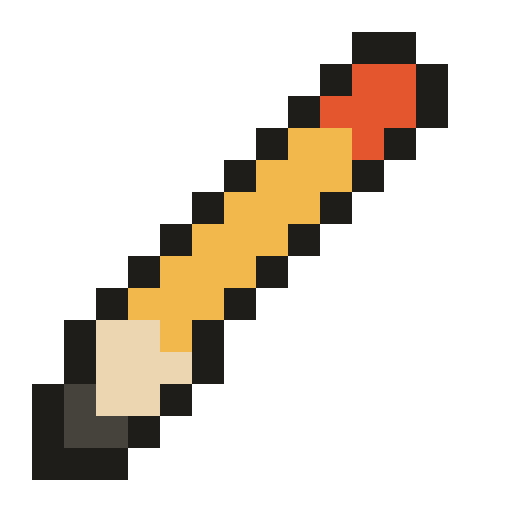
The same 16 × 16 sprite enlarged 32 times. Regular resizing blurs it; the upscaler keeps it sharp.

How to upscale pixel art
- Open your sprite. Drop a PNG, paste from the clipboard or choose a file. Sprite sheets work too.
- Pick a scale. Use the 2×, 4×, 8× and 16× buttons, type any whole factor, or enter a target width and the tool picks the largest factor that fits.
- Pick a method. Nearest neighbour keeps the art exactly as drawn. Scale2x and Scale3x smooth jagged diagonals without adding colours.
- Download. The PNG keeps transparency unless you choose a background colour.
Upscaling for games, social media and print
| Destination | Recommended | Why |
|---|---|---|
| Game engine (Unity, Godot, GameMaker) | Keep 1× and set the texture filter to point / nearest | The engine scales it on screen for free |
| Twitter, Instagram, Discord | Scale to at least 1000px with nearest neighbour | Platforms blur and compress small images |
| Itch.io or Steam store page | Whole-number scale to the banner width | Keeps pixels square at the displayed size |
| Print, stickers, t-shirts | Scale so each pixel is at least 0.5 mm at 300 DPI | Printers resample small images |
| Avatar or emoji | Scale2x or nearest, 128 to 512 px | Smooth diagonals read better when tiny |
Why whole-number scaling matters
Pixel art is drawn on a grid where every pixel is the same size. When you scale by 3, each original pixel becomes exactly 3 × 3 screen pixels and the grid stays perfect. Scale by 2.5 and some pixels have to become 2 wide and others 3 wide; the eye notices the uneven rhythm immediately, especially in outlines and dithering patterns. That is why this tool only offers integer factors and fits a target width by rounding down.
Recovering the true pixel size
Pixel art posted online has often been enlarged already, sometimes several times, and sometimes by a non-integer amount. Upscaling that again multiplies any unevenness. With Detect pixel size on, the upscaler measures the runs of identical colours along rows and columns, finds the block size the image was enlarged by and samples one pixel from the centre of each block. You get back the clean 1× sprite, then scale it properly. If the art was saved as JPG, compression noise can hide the block size; in that case turn detection off.
Scale2x, Scale3x and other pixel art scalers
Scale2x (EPX) was created for emulators to enlarge low-resolution game graphics. It looks at each pixel and its four neighbours and, where two neighbours of the same colour meet diagonally, fills the corner to continue the line. The result keeps the original palette but rounds staircase edges. More advanced filters such as hqx and xBR blend new colours and can look painterly; that is great for emulation but changes your art, so this tool sticks to scalers that never invent colours.
Frequently asked questions
Why does pixel art get blurry when I resize it?
What scale factor should I use?
What is Scale2x (EPX)?
My sprite was already enlarged. Can I get the original size back?
Is transparency kept?
Is there a size limit?
More free tools for artists
Grid Drawing Tool
Put a labeled grid over a reference photo, then copy it one cell at a time in step-by-step mode.
OverlayAdd Grid to Photo
Overlay a square, rule-of-thirds or custom grid on any image and save it as PNG, JPG or PDF.
ClassroomGrid Drawing Worksheets
Turn one picture into printable grid drawing worksheets at three difficulty levels, plus mystery grid puzzles.
DownloadTransparent Grid PNG
Free transparent grid overlays in common sizes, or generate your own PNG and SVG grid.
PixelizeImage to Pixel Art
Convert a photo to pixel art with palettes and dithering, then export a bead or cross-stitch chart.